Objective
Architect a dynamic kiosk experience for Adobe’s marketing team that welcomes visitors at the Adobe AI Summit
Team Breakdown
Product Manager, Engineer Lead, Project Manager, Marketing Director
Success Metrics
Above 50% visitors scanned the last page QR code opening web experience
Duration
2 month(s)
Objective
Architect a dynamic kiosk experience for Adobe’s marketing team that welcomes visitors at the Adobe AI Summit
Team Breakdown
Product Manager, Engineer Lead, Project Manager, Marketing Director
Success Metrics
Above 50% visitors scanned the last page QR code opening web experience
Duration
2 month(s)
Objective
Architect a dynamic kiosk experience for Adobe’s marketing team that welcomes visitors at the Adobe AI Summit
Team Breakdown
Product Manager, Engineer Lead, Project Manager, Marketing Director
Success Metrics
Above 50% visitors scanned the last page QR code opening web experience
Duration
2 month(s)
Customer Flow
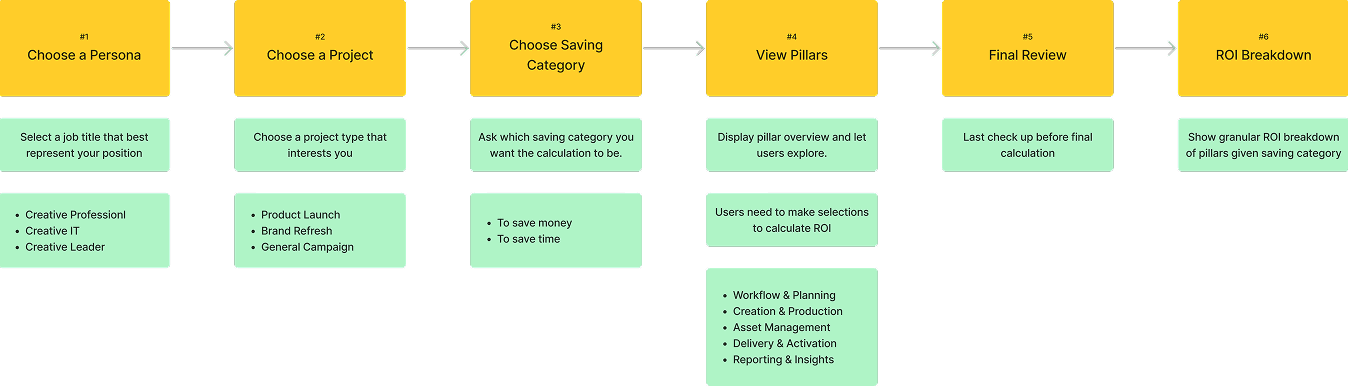
Working with the project manager and content manager, we defined the user journey and key features required under each step for the interface experience.
Customer Flow
Working with the project manager and content manager, we defined the user journey and key features required under each step for the interface experience.
Customer Flow
Working with the project manager and content manager, we defined the user journey and key features required under each step for the interface experience.
Step 1: Personalization Selection
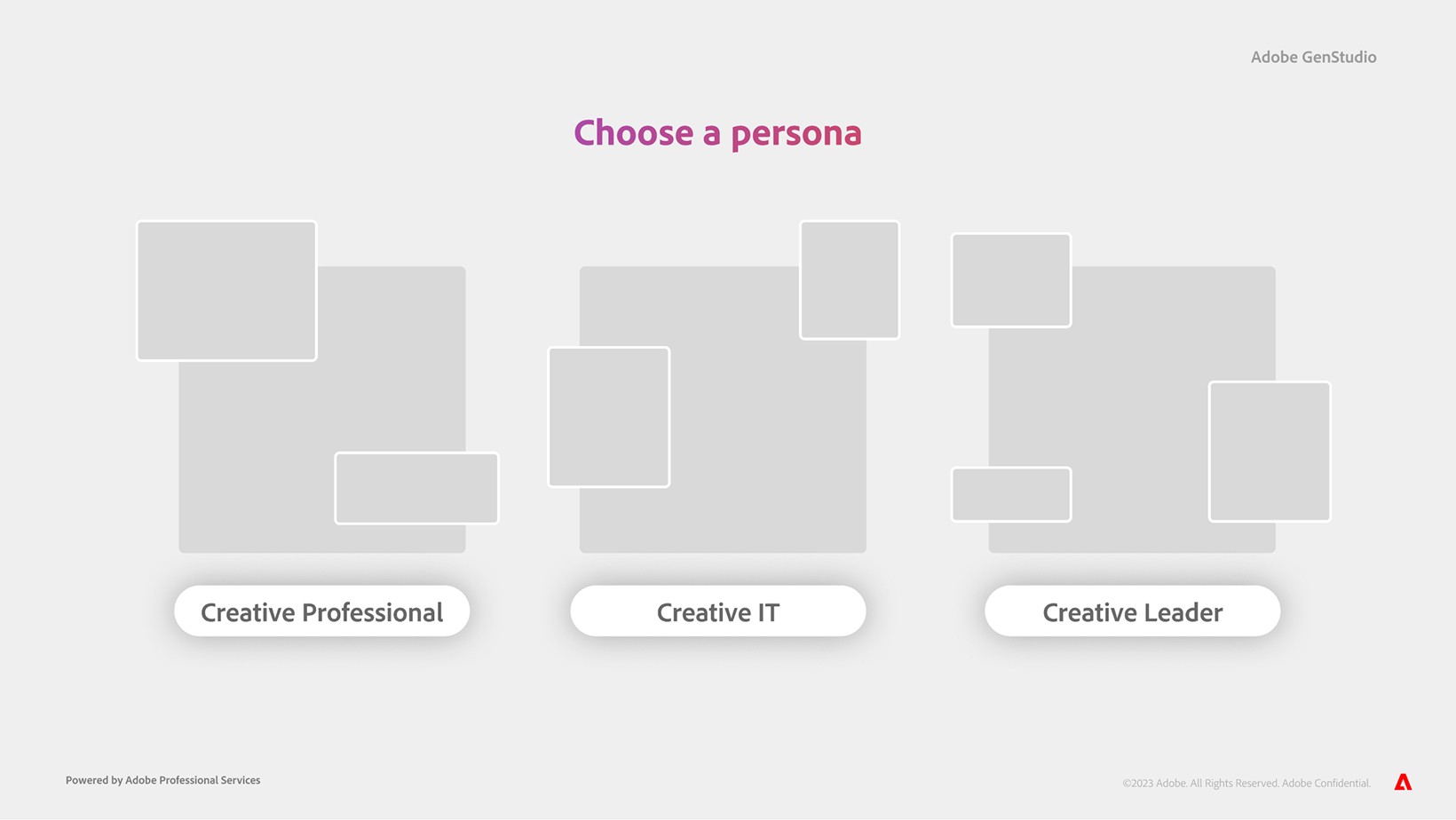
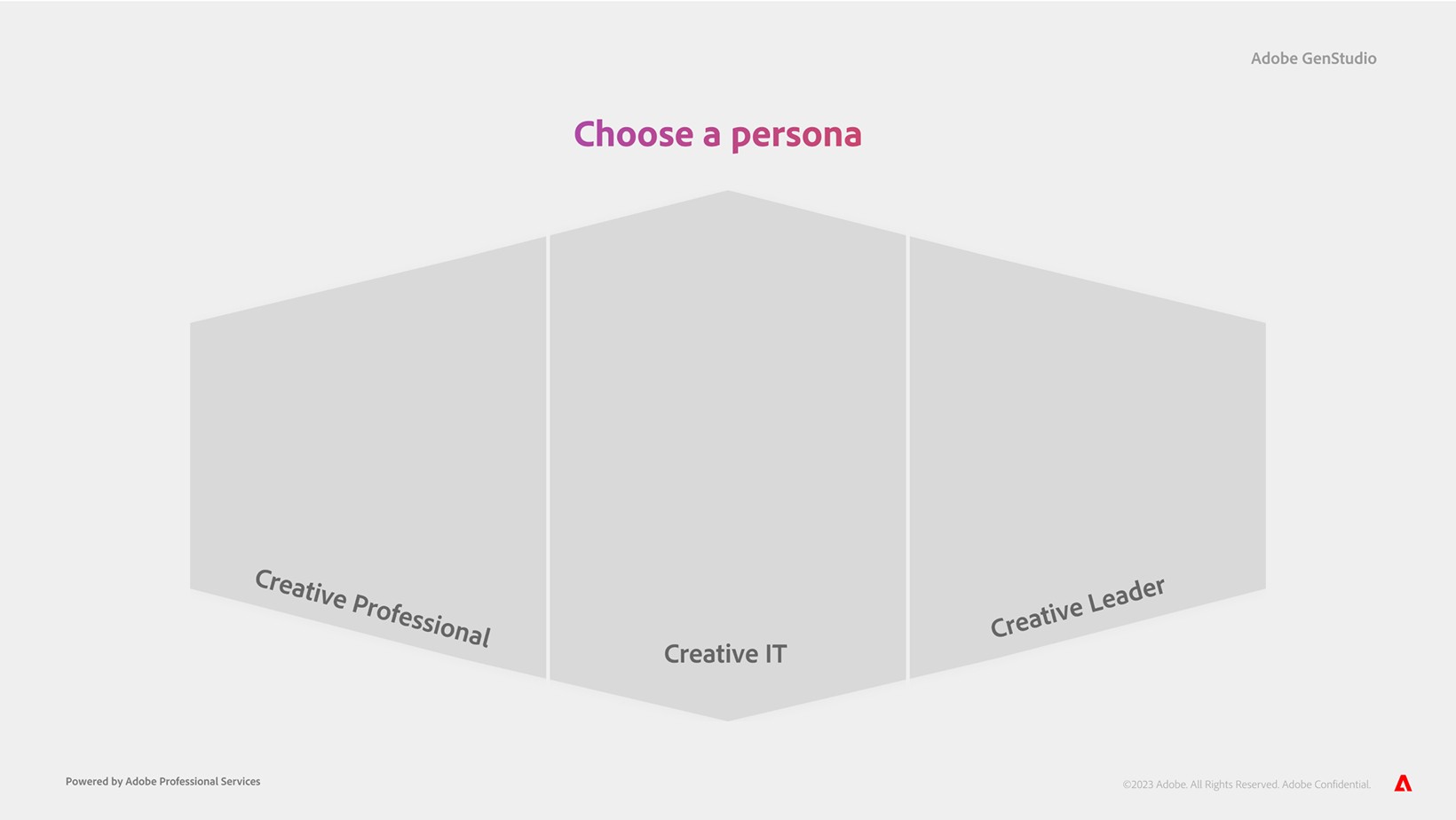
The experience kicked off by asking users to select a persona that best described their use cases. A couple of layouts and interactions were explored in the early design phase.
Step 1: Personalization Selection
The experience kicked off by asking users to select a persona that best described their use cases. A couple of layouts and interactions were explored in the early design phase.
Step 1: Personalization Selection
The experience kicked off by asking users to select a persona that best described their use cases. A couple of layouts and interactions were explored in the early design phase.
Step 2: Project & Saving Selection
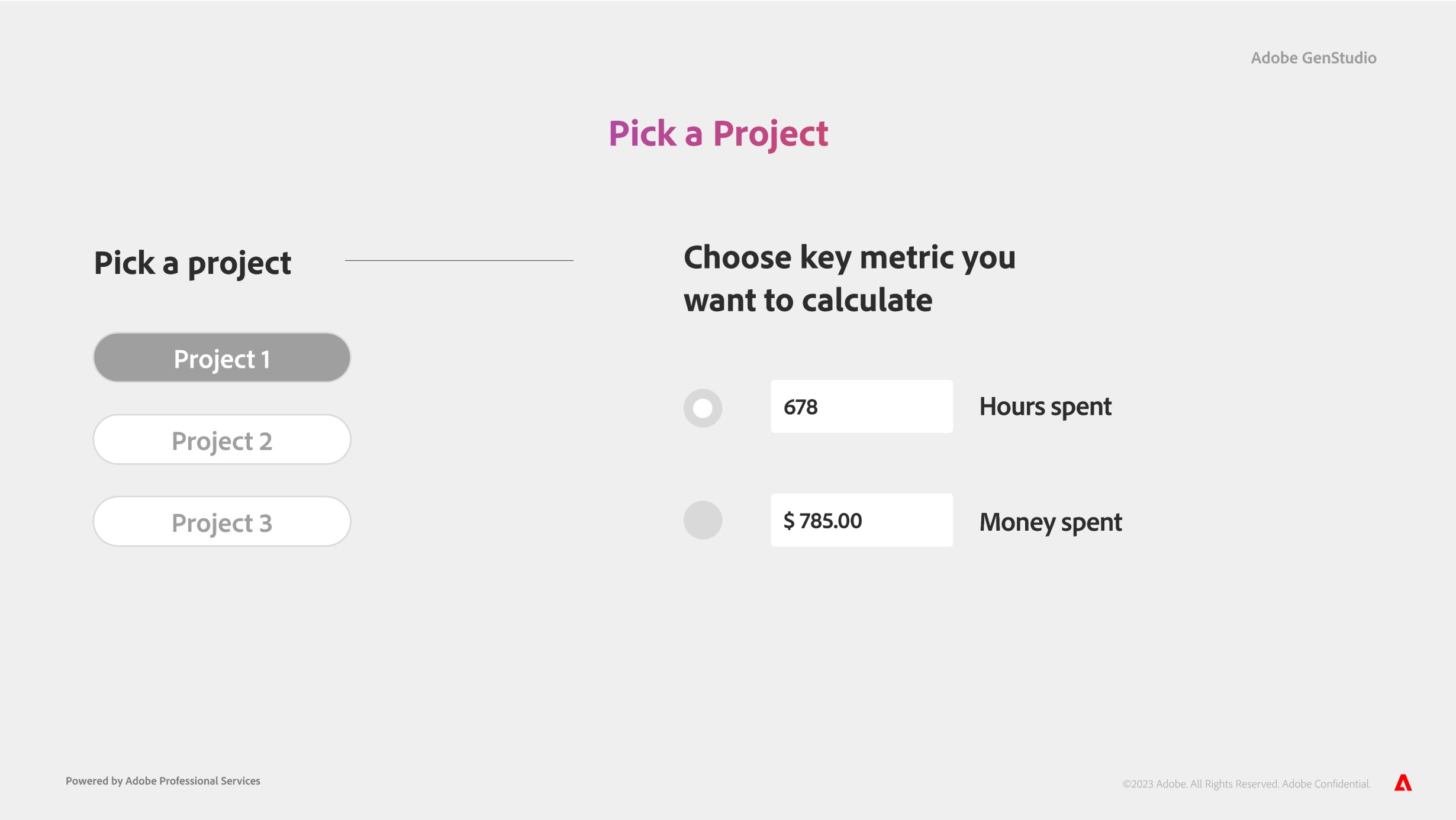
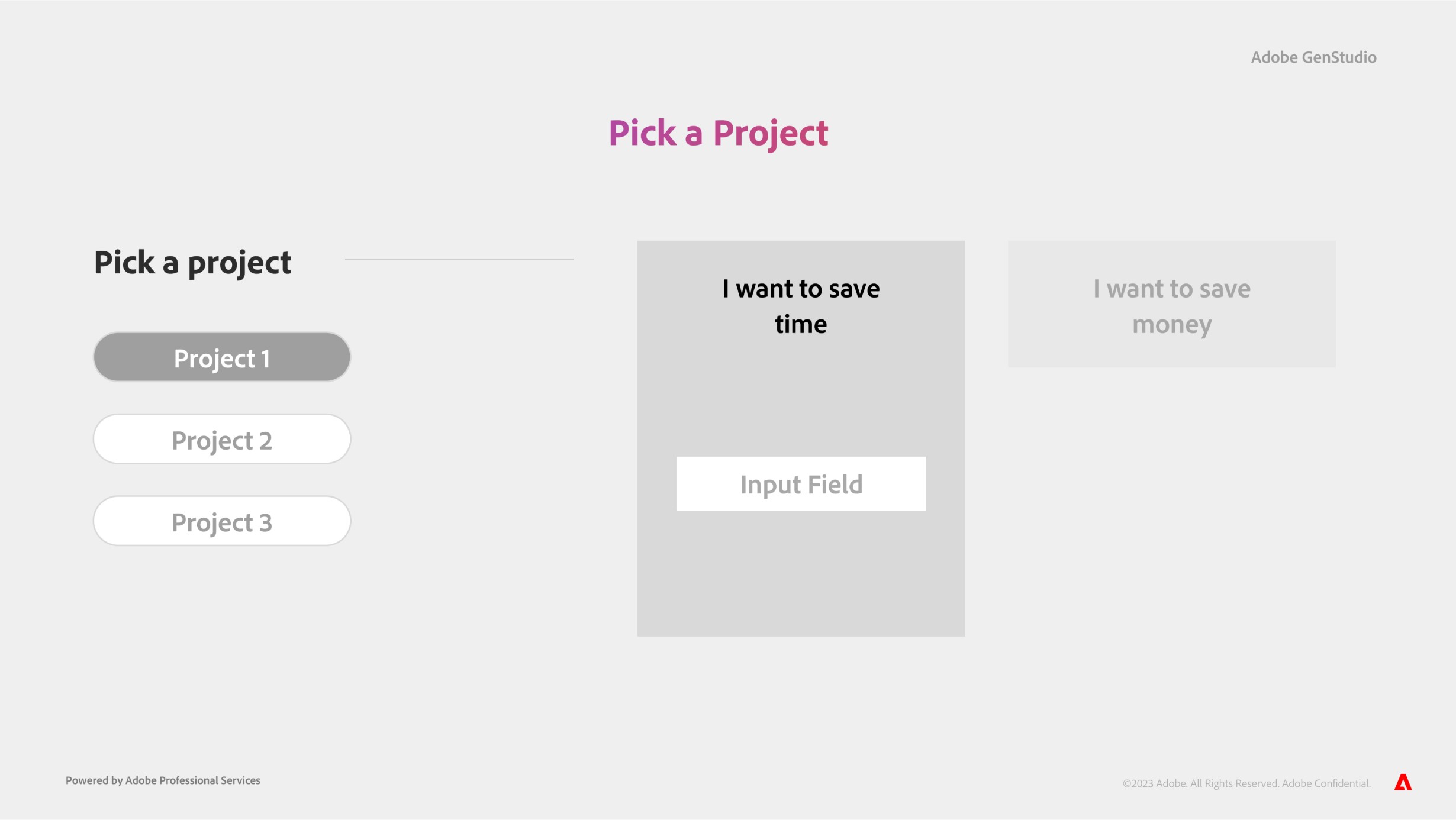
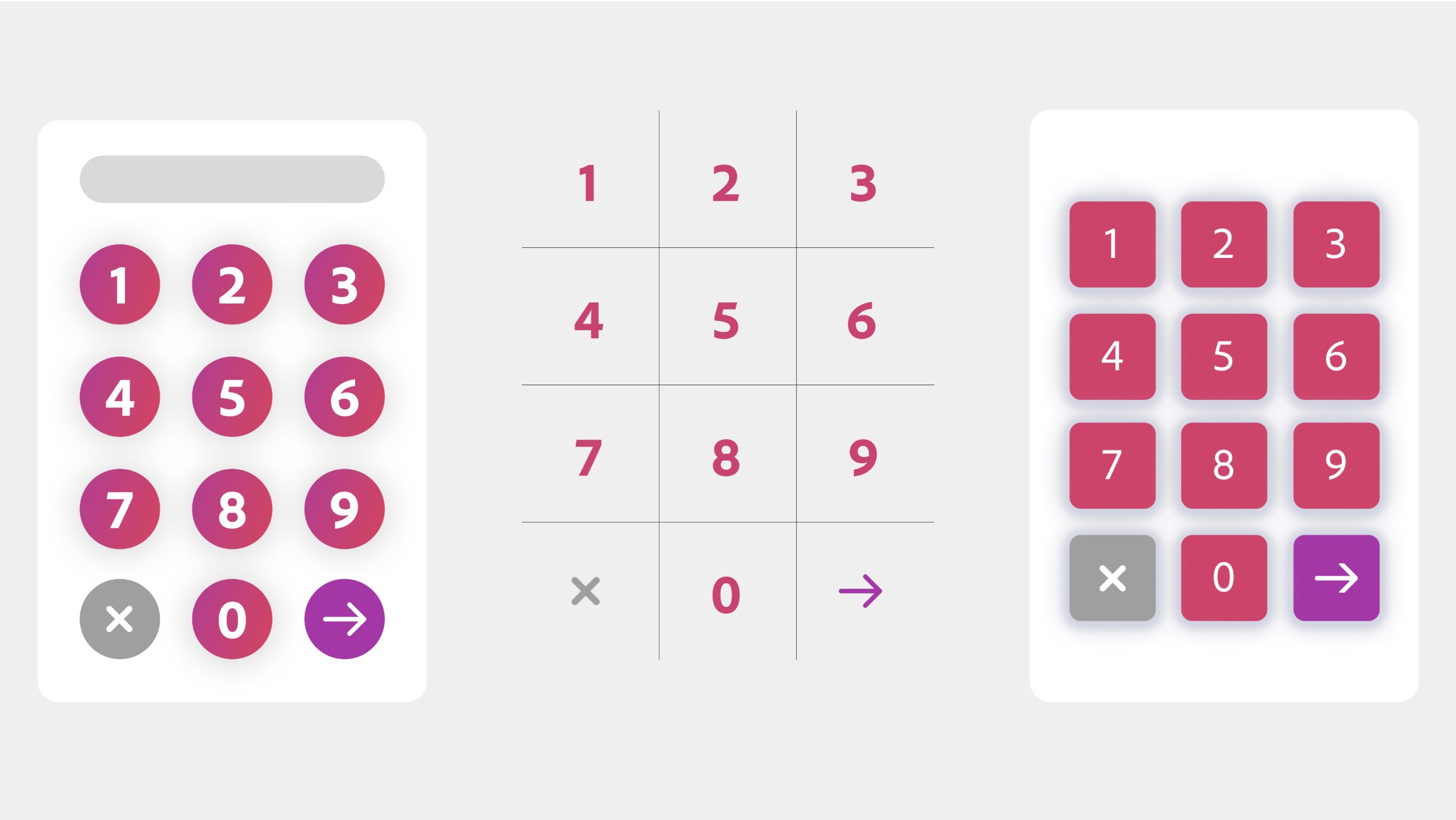
Users were prompted to enter key business metrics—such as project type and budget—to power backend calculations. I explored multiple input field designs and motion concepts to create a more engaging data-entry experience.
Step 2: Project & Saving Selection
Users were prompted to enter key business metrics—such as project type and budget—to power backend calculations. I explored multiple input field designs and motion concepts to create a more engaging data-entry experience.
Step 2: Project & Saving Selection
Users were prompted to enter key business metrics—such as project type and budget—to power backend calculations. I explored multiple input field designs and motion concepts to create a more engaging data-entry experience.
Step 3: Pillar Overview
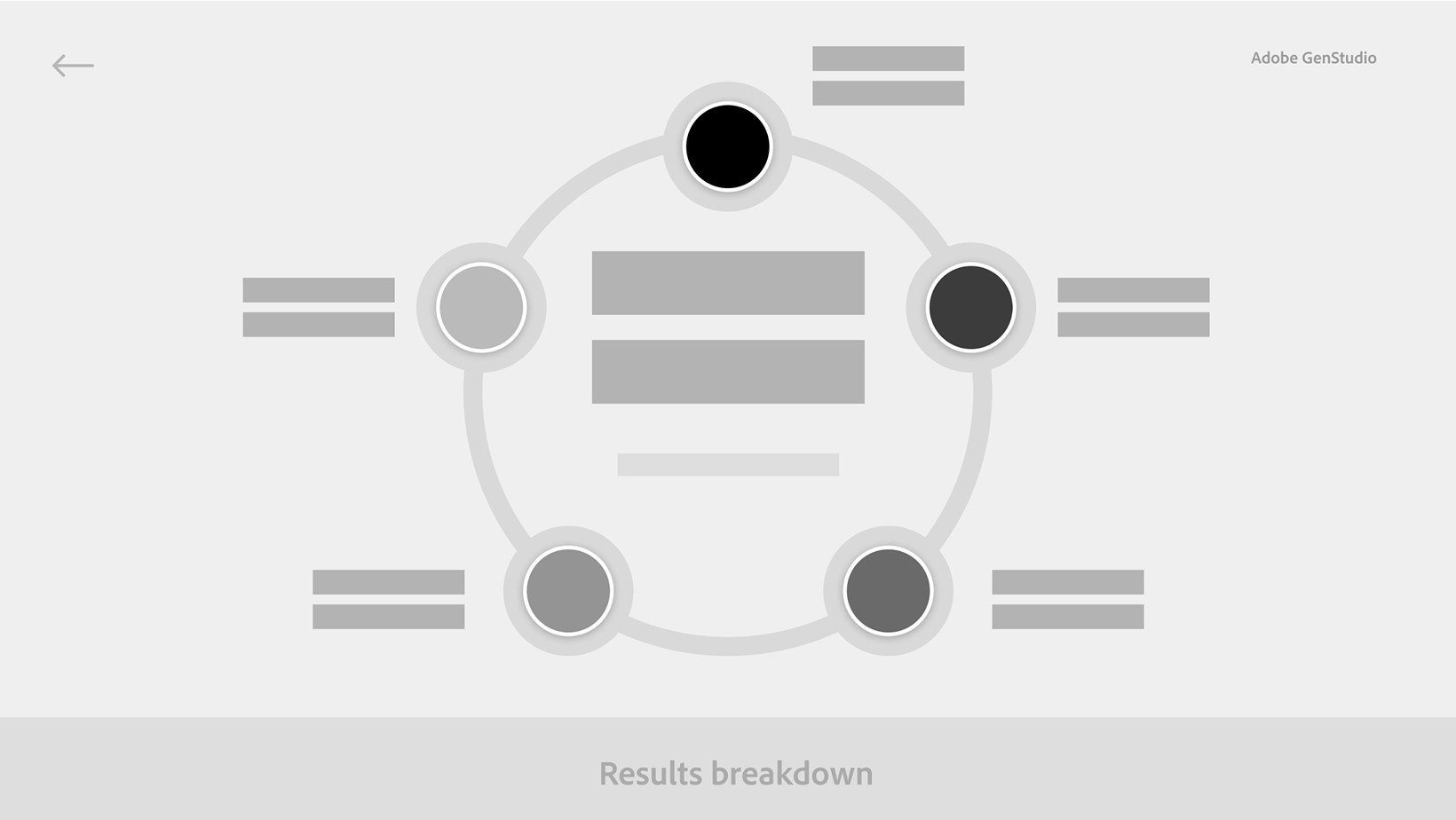
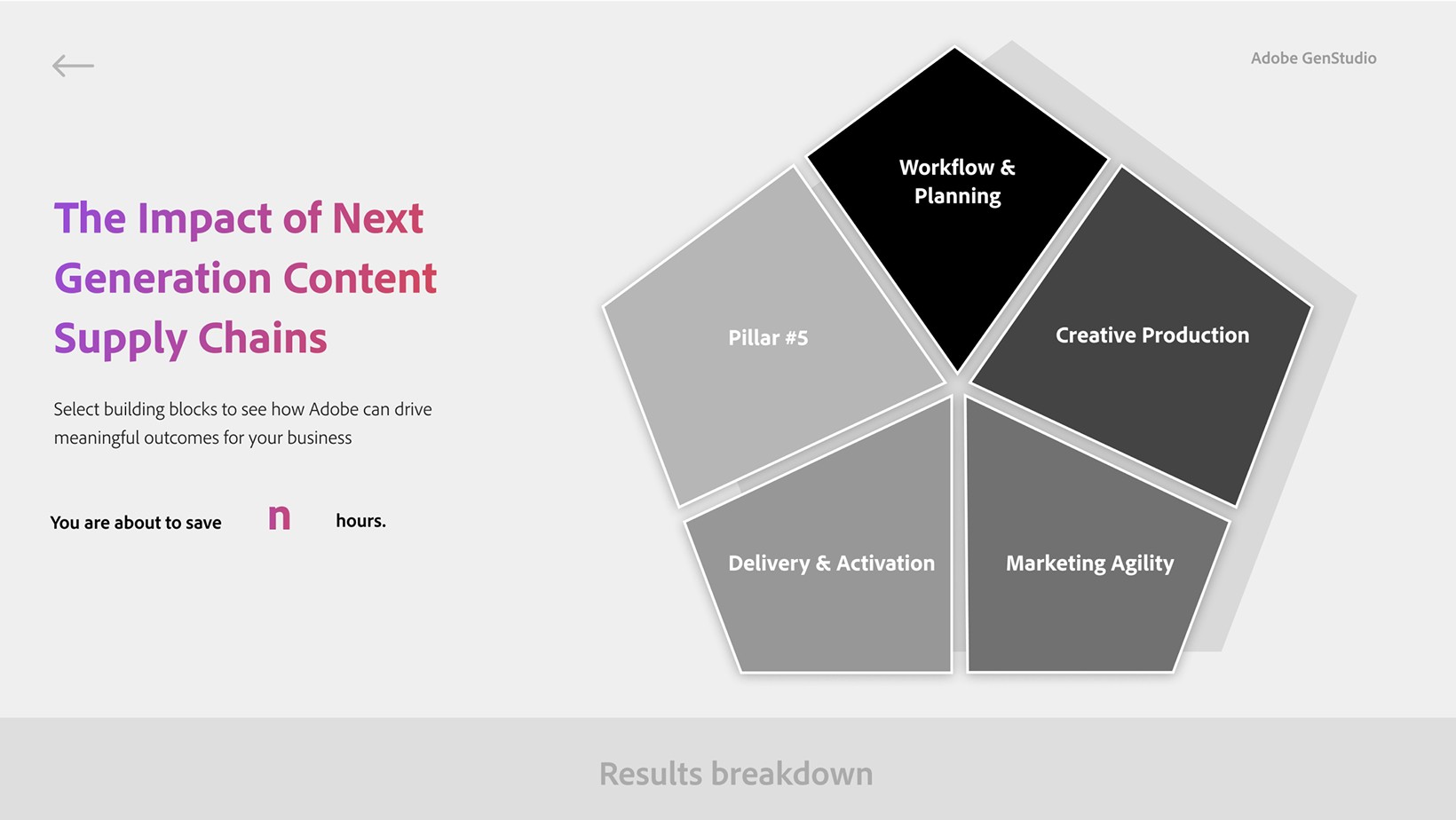
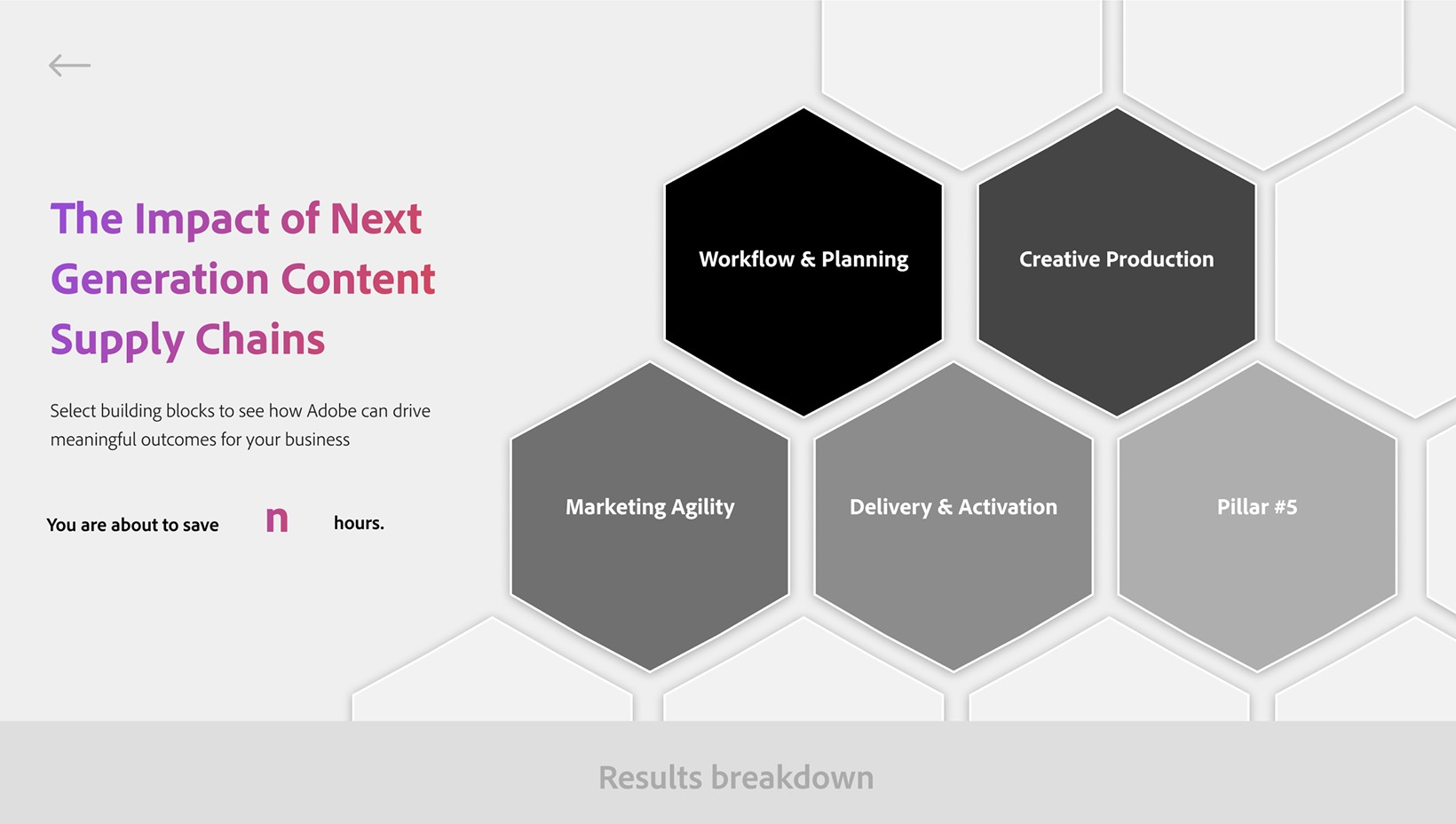
After completing the backend calculations, users land on the pillar overview—where the core value proposition is clearly articulated. This moment is designed to reinforce impact and prompt users to scan the QR code to continue exploring through the mobile web experience.
Step 3: Pillar Overview
After completing the backend calculations, users land on the pillar overview—where the core value proposition is clearly articulated. This moment is designed to reinforce impact and prompt users to scan the QR code to continue exploring through the mobile web experience.
Step 3: Pillar Overview
After completing the backend calculations, users land on the pillar overview—where the core value proposition is clearly articulated. This moment is designed to reinforce impact and prompt users to scan the QR code to continue exploring through the mobile web experience.
Customer Reactions
Customer Reactions
Customer Reactions
Performance

Performance
Performance